OLTRA · iPhone and Apple Watch · Beta
Run further. Rest smarter.
Plans from 5K to 100K that know when to push and when to hold back. Each morning OLTRA reads your recovery, says it in one word and fills the screen with that colour. Then it builds the run, paces you through it in your ears, and adjusts the weeks ahead.
Coming soon to iPhone and Apple Watch
01 · The forecast
One word each morning.
OLTRA reads your heart rate variability, resting heart rate, sleep and training load against your own baseline. The colour tells you the day before you read a word.
The word comes from rules on your own readings, worked out on your iPhone. Every change it suggests is an offer, and every offer has undo.
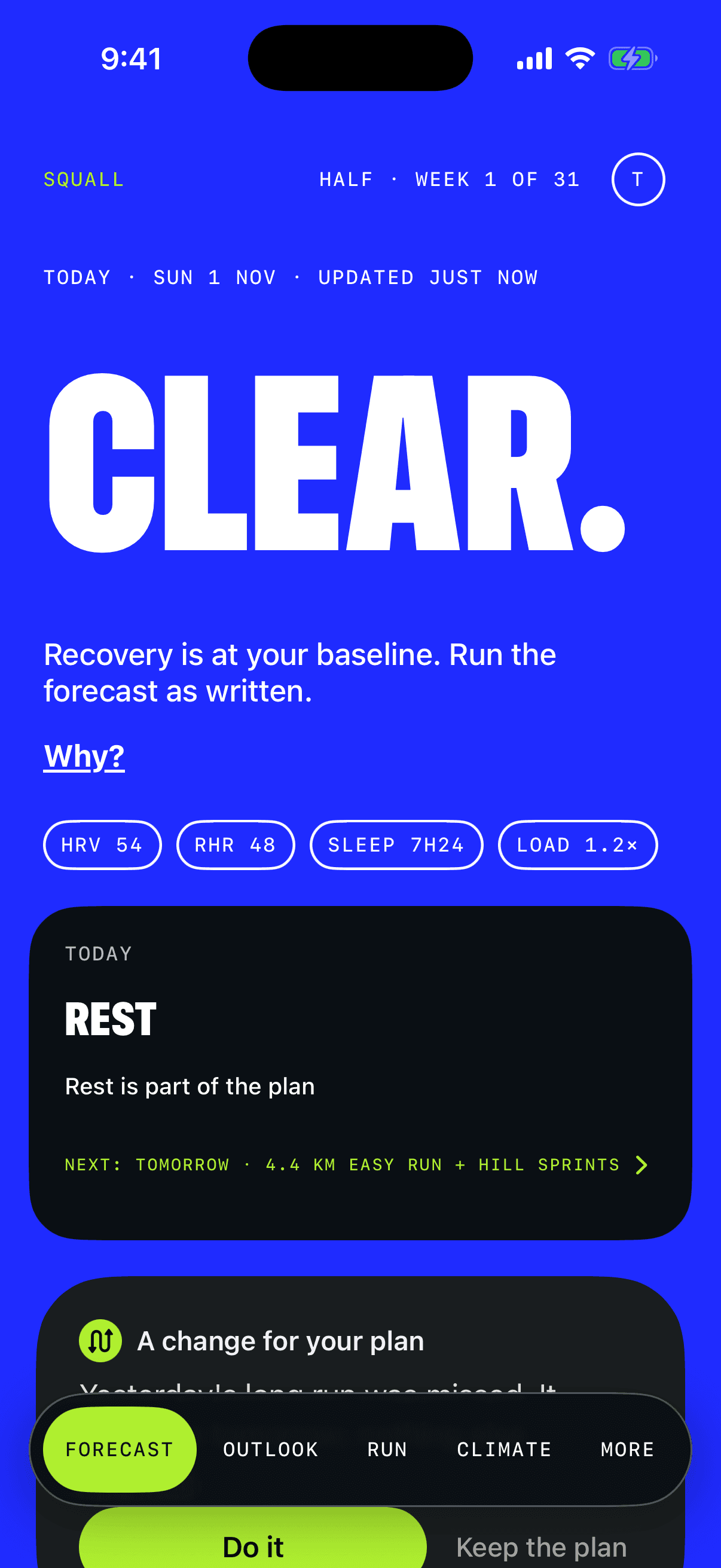
Recovery is within your normal band
Clear.
Run the forecast as written. The day’s session and its paces, with your readings as chips under the word.
Tap Why? for the full reading.
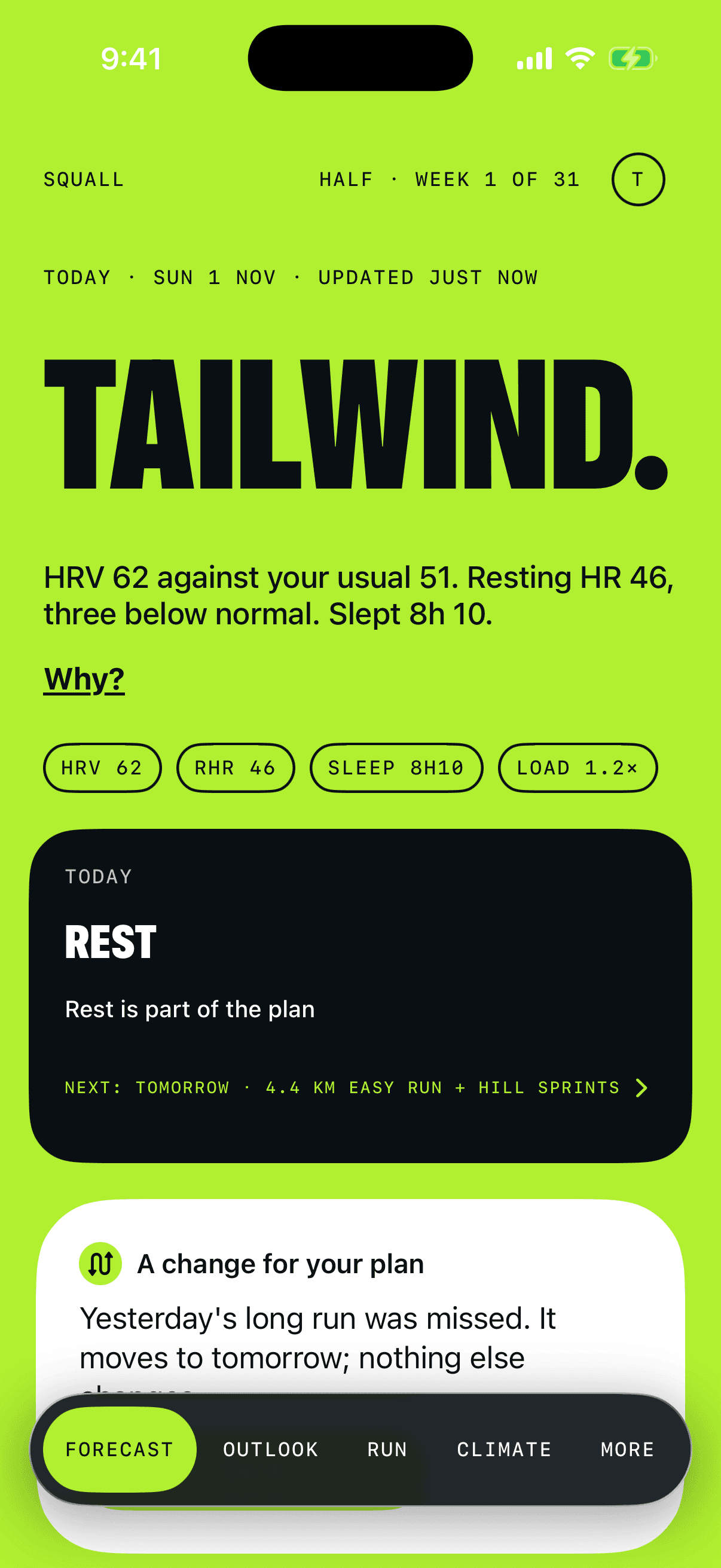
Conditions are in your favour
Tailwind.
It says why in your own numbers. On a training day, OLTRA offers a harder session, with what was planned and what’s offered side by side.
Nothing changes unless you say so. It’s never offered in taper, race week or when you’re unwell.
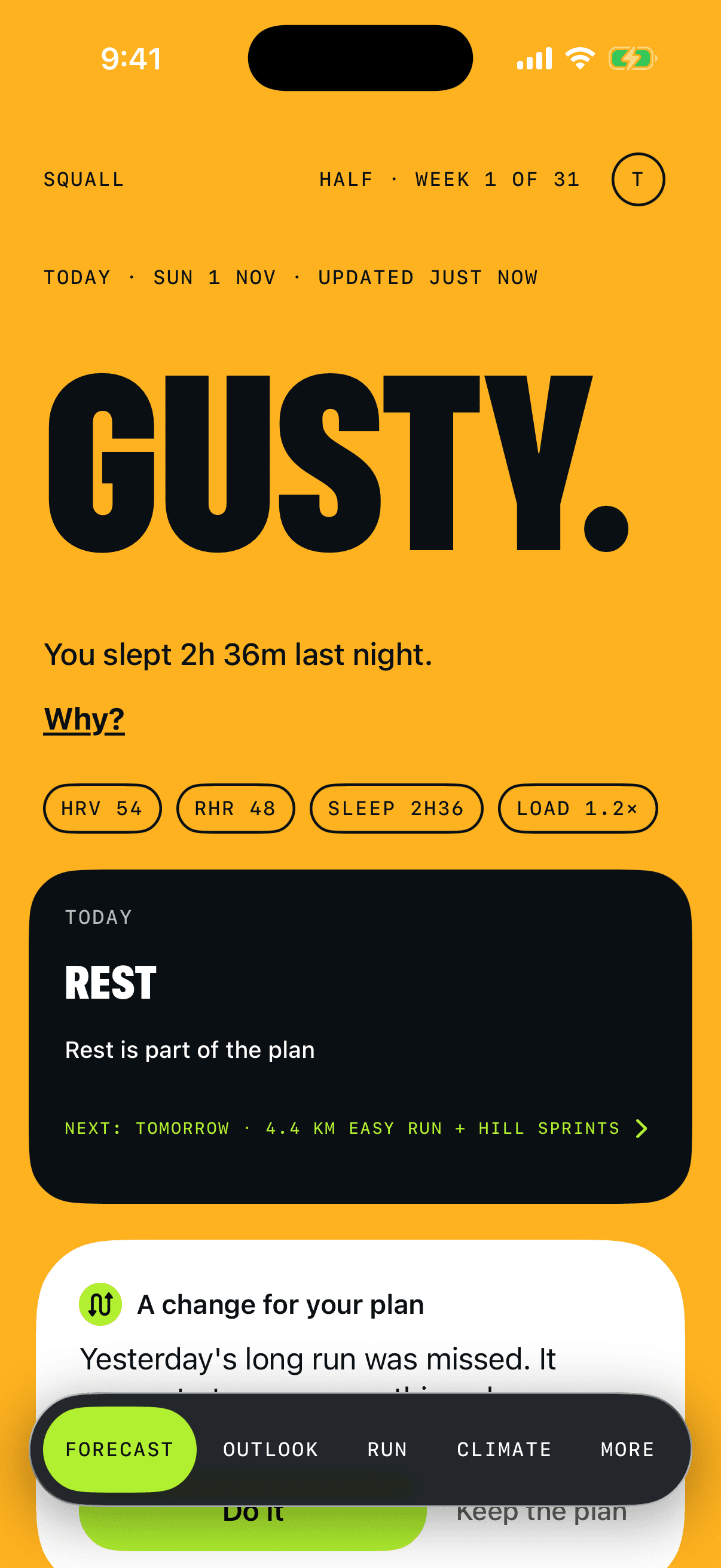
One reading well off, or a short night
Gusty.
A little under par: a very short night, one reading well outside your usual, or a check-in that says you’re wrecked or carrying a niggle.
OLTRA offers an easier or shorter session. Take it, or run the forecast as written.
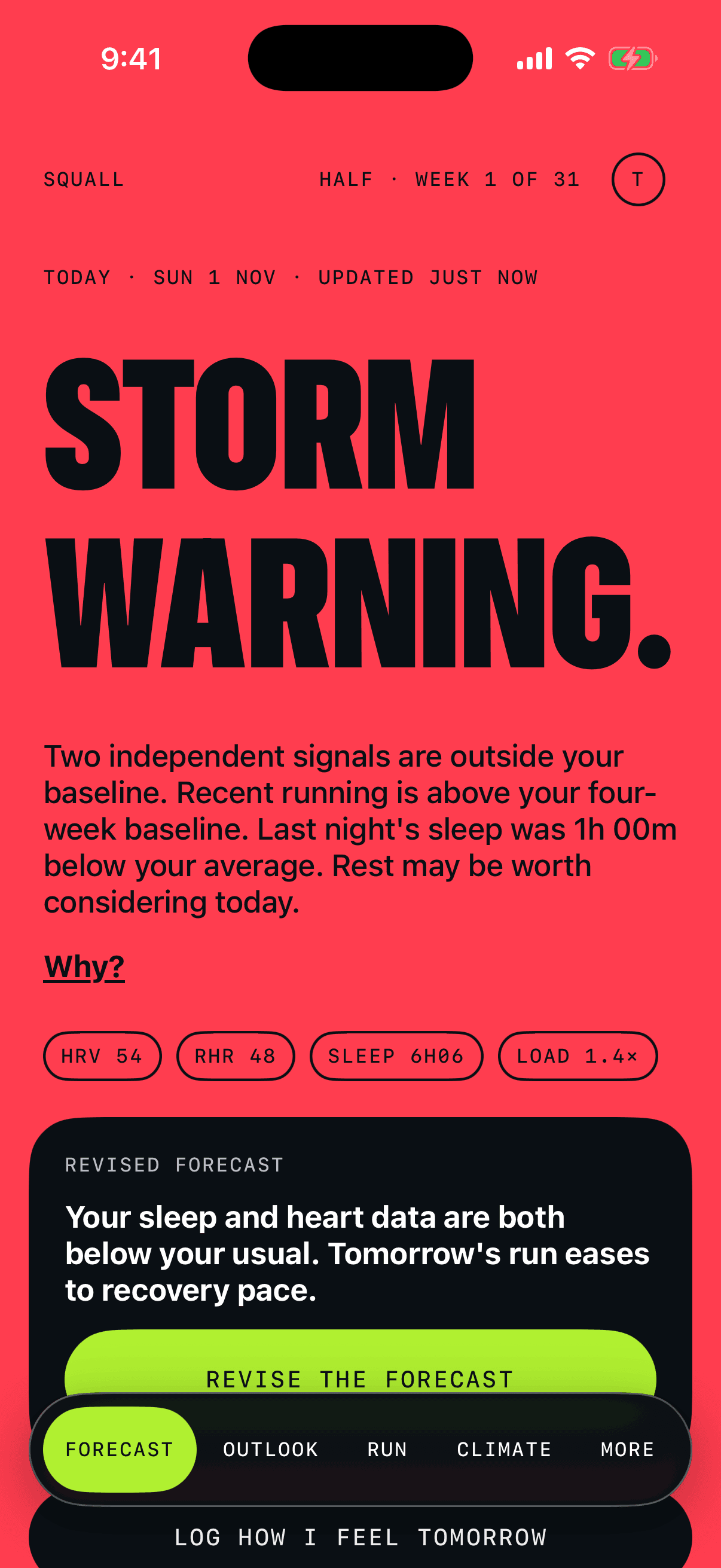
Illness, injury, or strongly suppressed recovery
Storm warning.
The revised forecast is ready and says what would change. One tap makes it, and undo takes it back. If you feel fine, keep the forecast instead.
Red is rare on purpose: if hard days glowed red, you’d stop noticing. OLTRA is not a medical device. If symptoms get worse, talk to a doctor.

Outside
Rain is your call.
OLTRA forecasts the weather inside.
02 · The run
Read it at arm’s length.
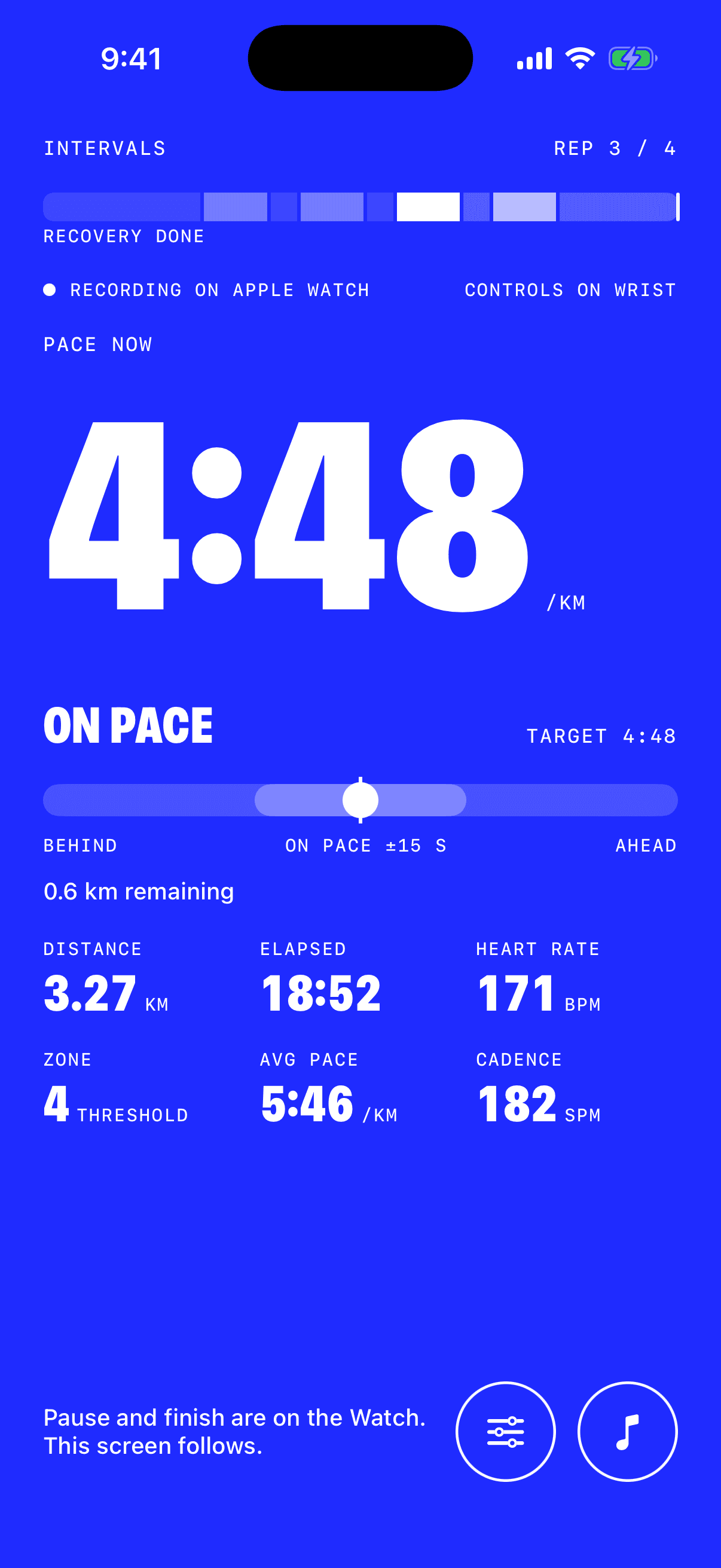
Pace now, big enough to read mid-stride. Under it, a line with your target in the middle and you as the dot, then the distance left in the rep. On the Watch, the whole face turns the colour of your effort zone.
And you don’t have to look.
OLTRA talks you through the session: when a rep starts and ends, when you drift off target, and when to ease back. It works from your iPhone alone; an Apple Watch adds heart rate.
“Ease back a touch — you’re a bit quick. Target 4:50, you’re at 4:41.”
- Z1Recovery
- Z2Easy
- Z3Steady
- Z4Threshold
- Z5Max
03 · Apple Watch
The pace line.
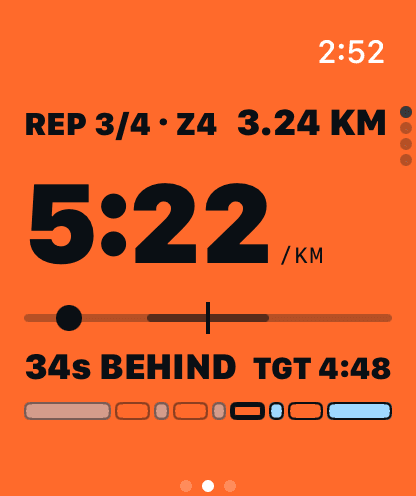
One line on your wrist. The target is the centre tick and you’re the dot: left is behind, right is ahead. Underneath, how far off target you are, in seconds per km.
- During a rep
- The whole face is the zone colour, with pace, the pace line and the target.
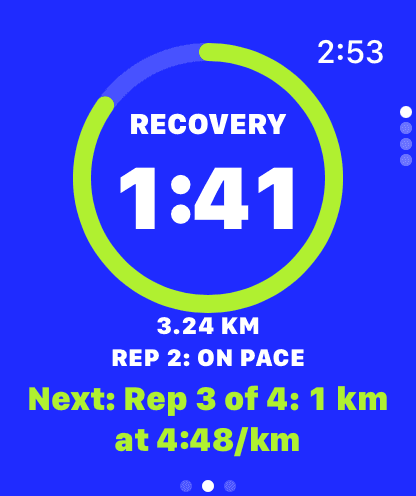
- During recovery
- Calm cobalt with a countdown ring, how the last rep went, and the next rep spelled out.
- Steady runs
- You against a runner holding your goal pace, the gap in metres, and a projected finish.
04 · Race day
Pick your time. Then race it.
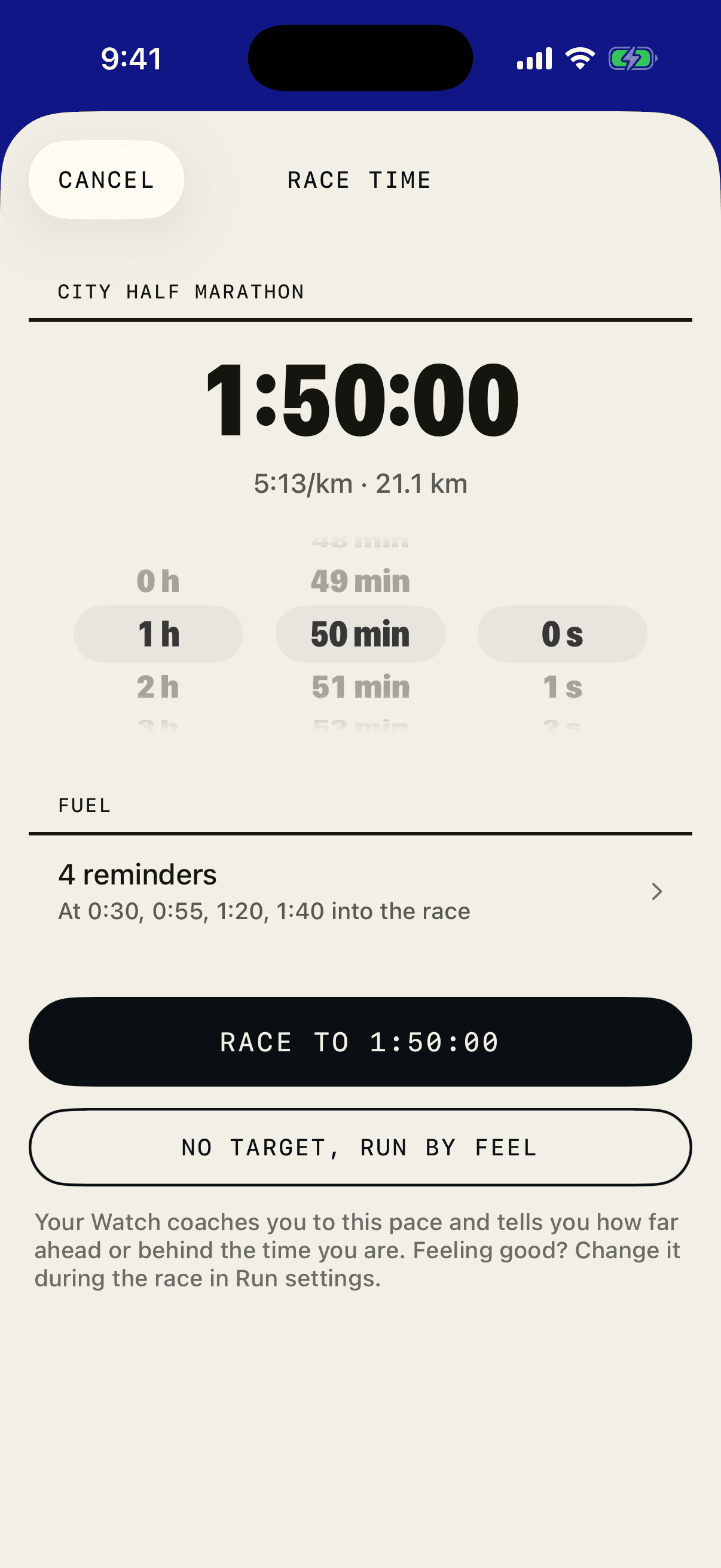
The day before, set the time you’re going for. OLTRA turns it into a pace, and on the day your Watch tells you how far ahead or behind that time you are.
- Race time
- Hours, minutes and seconds, with the pace it means beside it. Or skip the target and run by feel. Feeling good mid-race? Change it in Run settings.
- Fuel
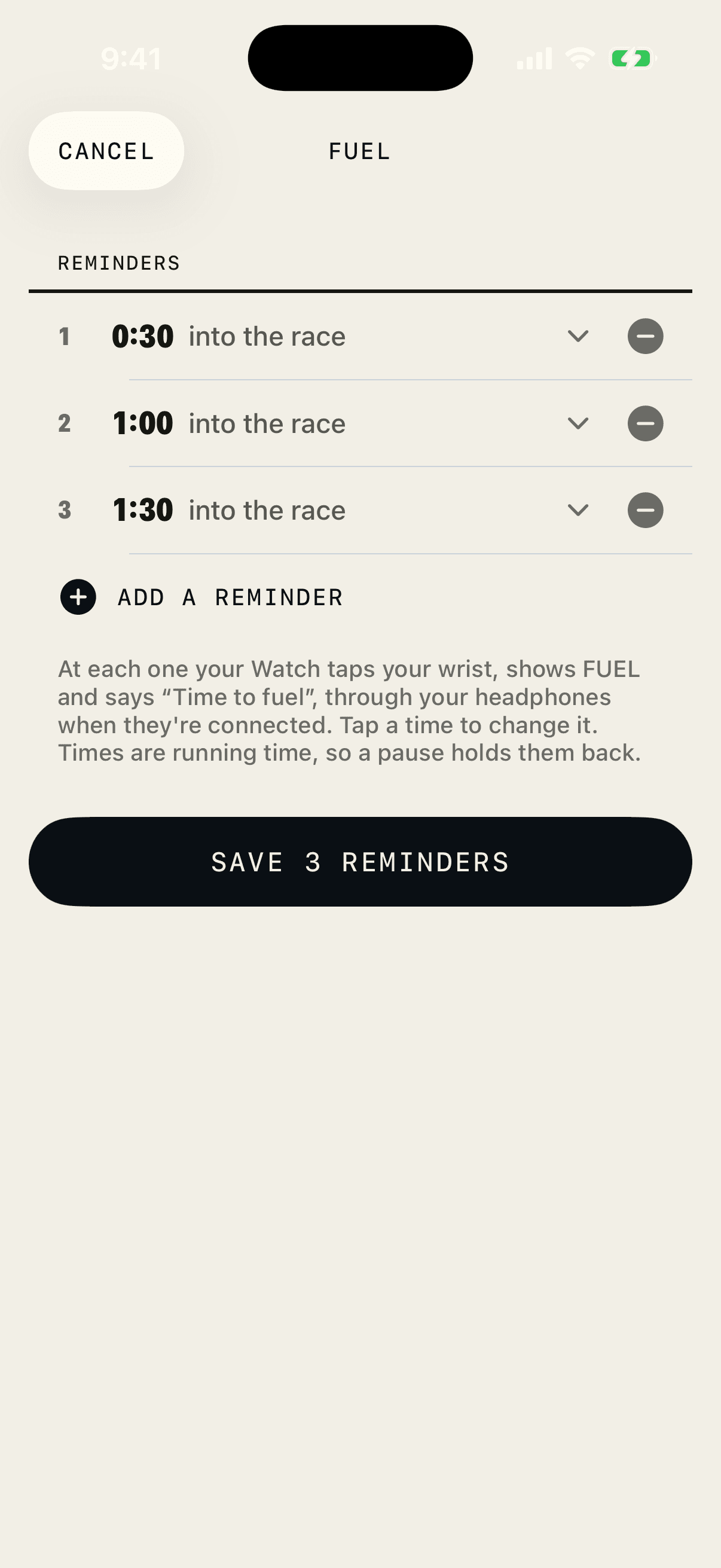
- Set when to take a gel or a drink, as time into the race. At each one your Watch taps your wrist, shows FUEL and says “Time to fuel” through your headphones.
- Pauses
- Fuel times are running time, so stopping at an aid station holds them back.
- Your race
- Pick it from OLTRA’s race list. Find a race.
05 · The bigger picture
Weather is today. Climate is the block.
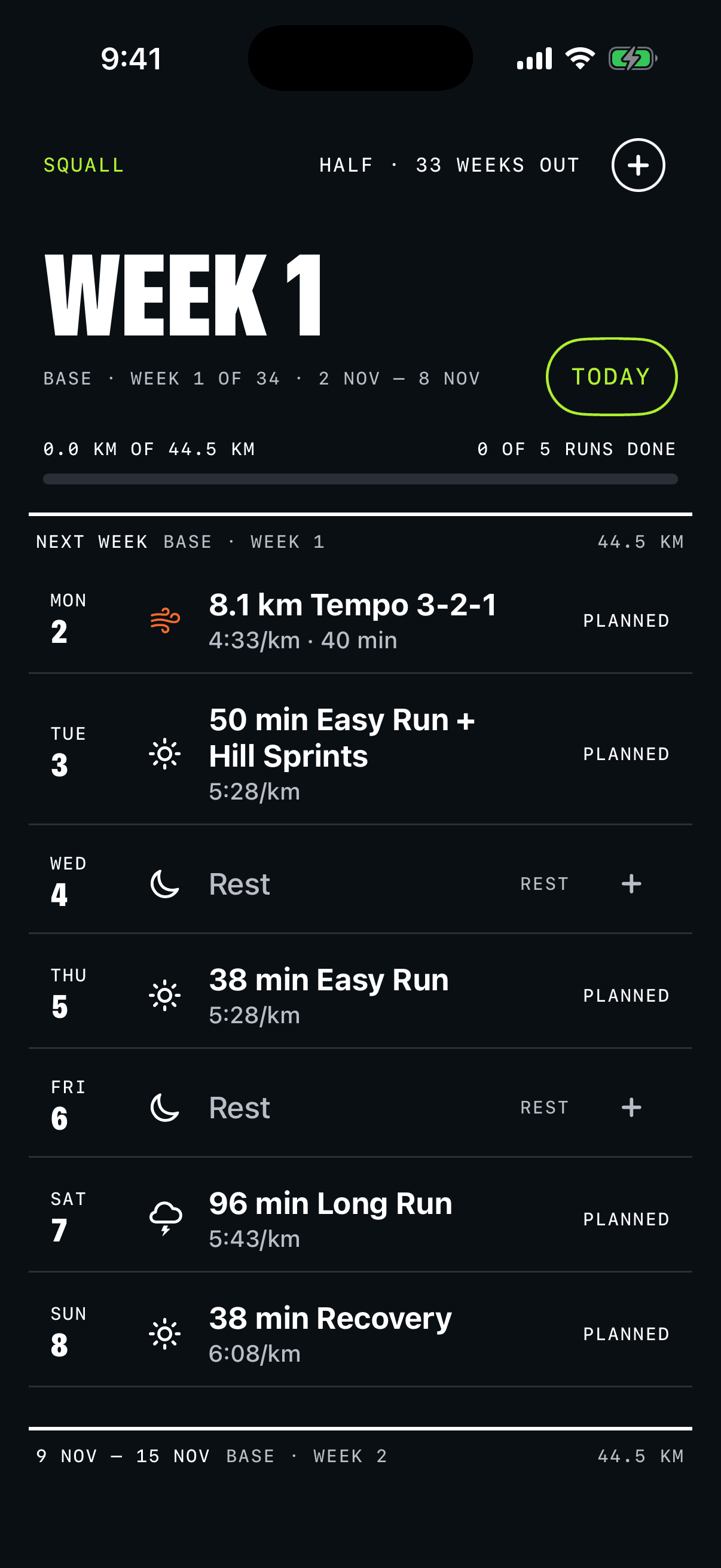
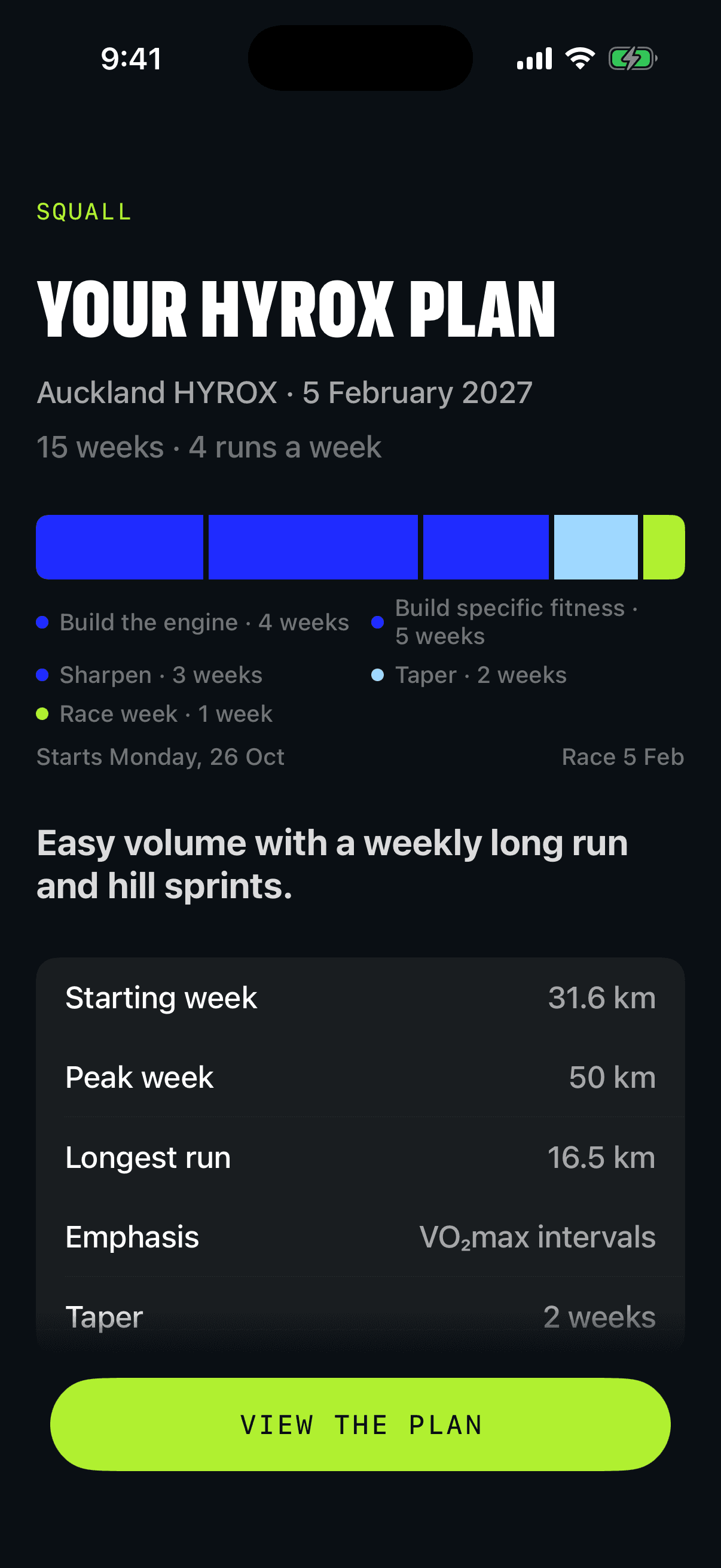
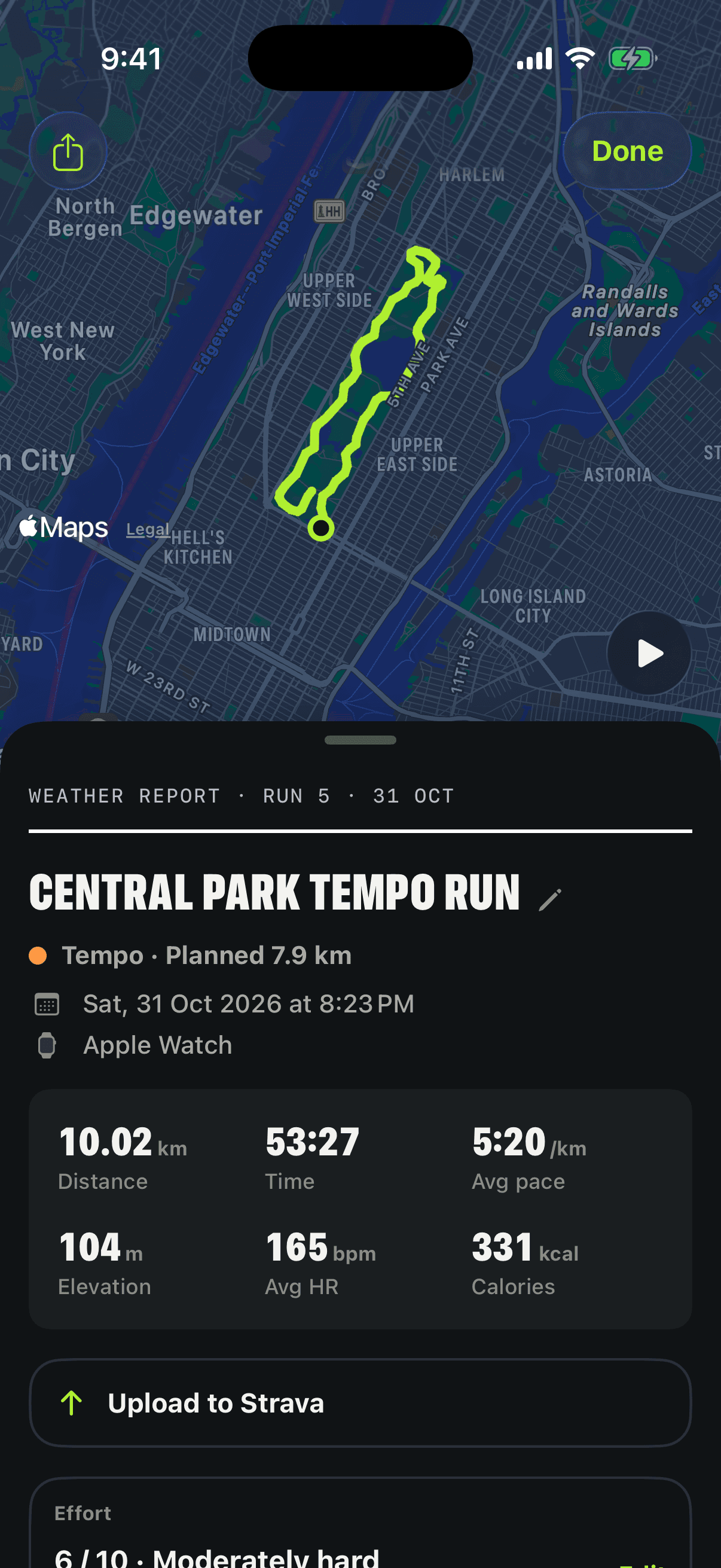
A plan from 5K to 100K, or for HYROX, that adapts to the runs you actually do. Outlook lays out the weeks ahead; the weather report tells you how today went.
- Outlook
- The weeks ahead and their phases, one row per run. Move a session and OLTRA keeps your change.
- Climate
- Your race forecast from your current fitness, weekly distance, consistency and load, laid out like a printed bulletin.
- Weather report
- After each run: the route replay, your figures and every rep against its target.
- Strava
- Connect it and each run goes up after you finish, or send one from its page with Upload to Strava. OLTRA only uploads; it never reads your Strava activities.
- Race day
- Plans for 5K, 10K, 15K, half marathon, marathon, 50K, 100K and the running for HYROX. For a HYROX, give it the date and it trains the 8 × 1 km between the stations. Races and time trials retarget your paces. Find a race.
In development
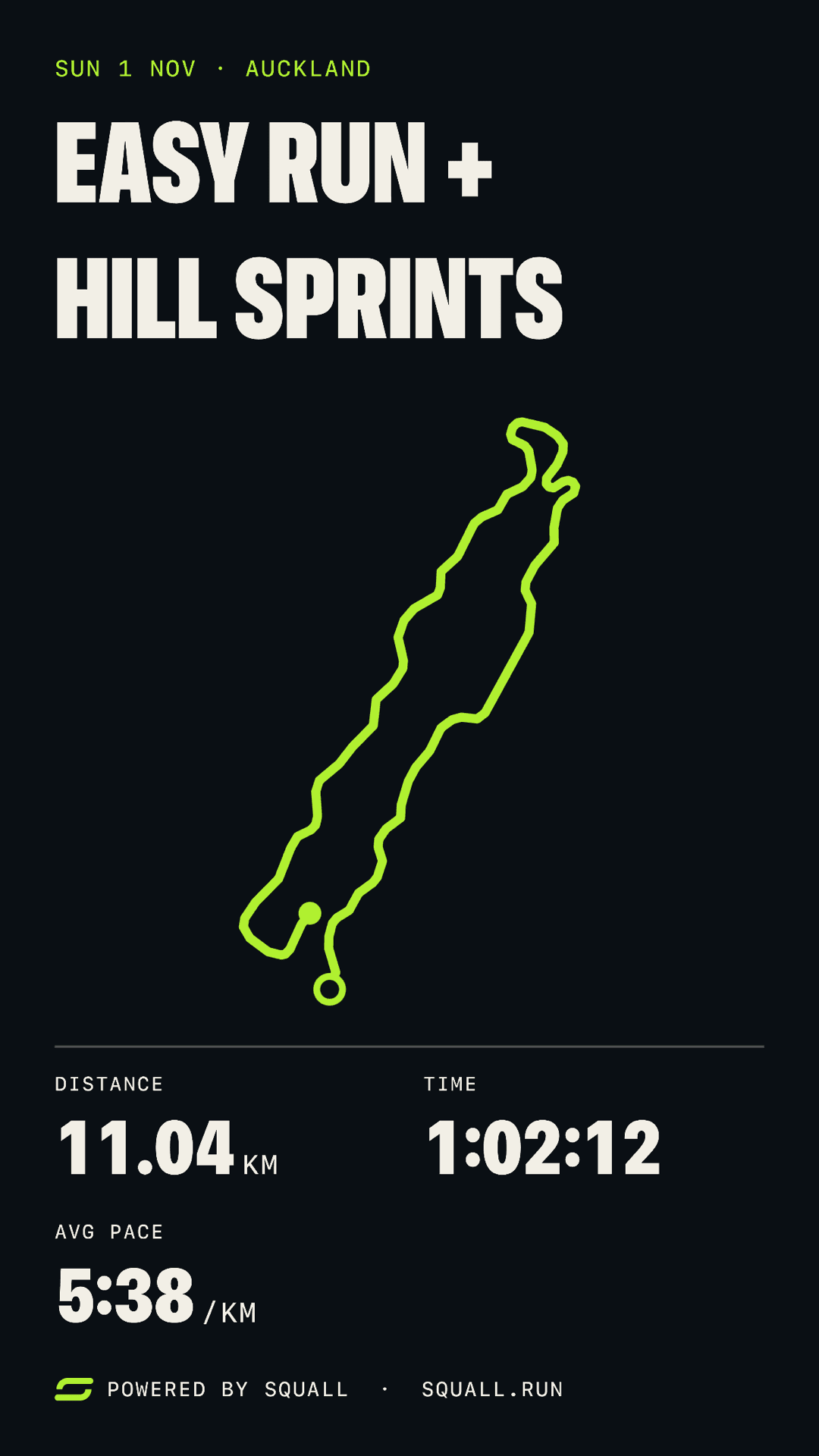
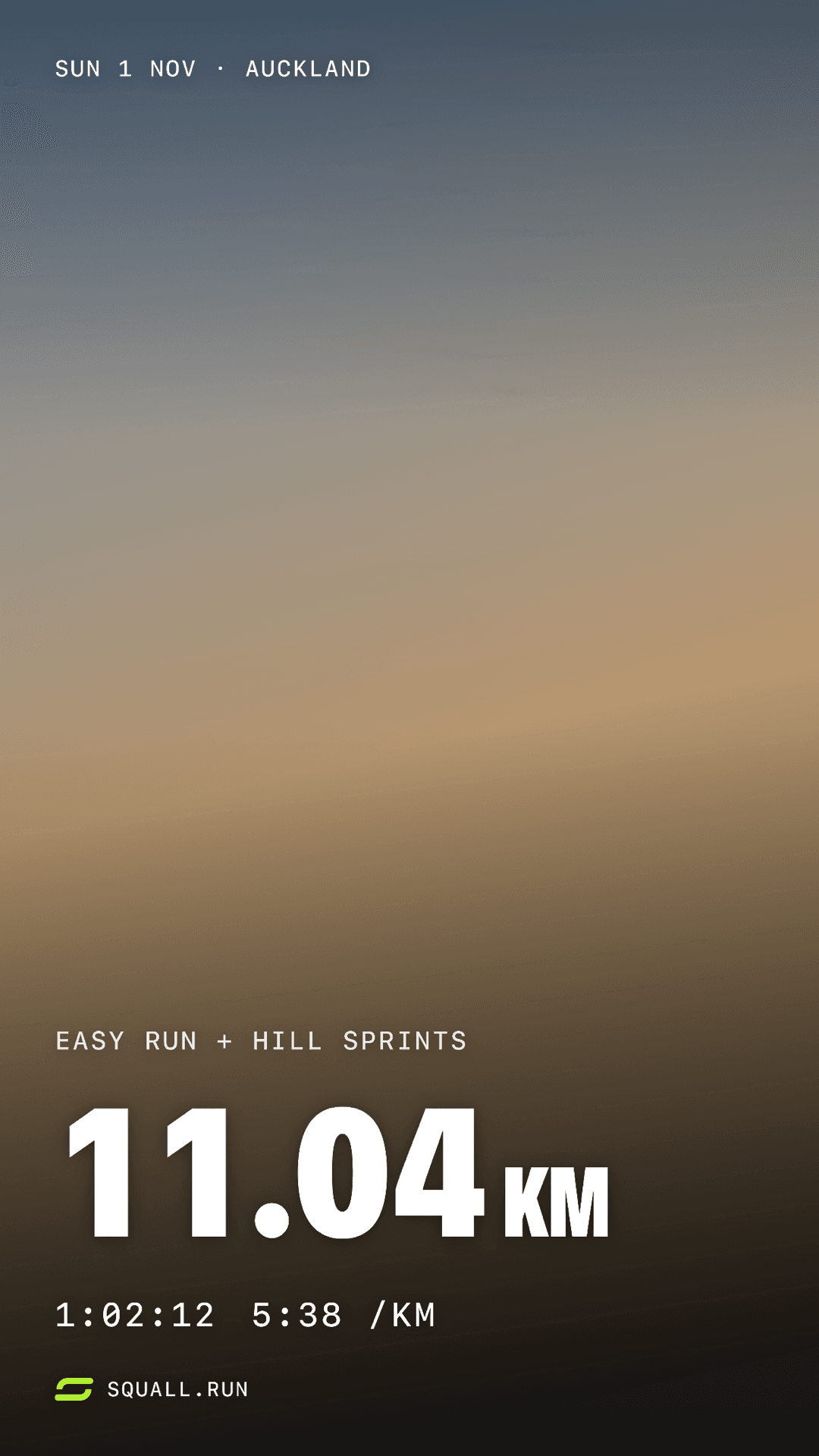
Share the run, not a screenshot.
Cards sized for Stories, posts or squares: your route, your figures, or your own photo behind the distance. They’re not in the beta yet.
06 · Privacy
Your data stays yours.
- No account
- No sign-up, no login, no password. The app never asks for your email.
- Your devices
- Training lives on your iPhone and Watch, and syncs through your own iCloud.
- On your phone
- The forecast, the plan and every change are worked out on your iPhone. The AI coach is off for now; when it returns, it stays off until you turn it on.
- Strava
- Only if you connect it. OLTRA uploads your runs and never reads your Strava activities.
- Not medical
- OLTRA is a training tool, not a medical device. It doesn't diagnose anything.
07 · Questions
Before you ask.
What do I need?
An iPhone. It records with GPS and talks you through the session on its own. An Apple Watch is optional: it adds heart rate during the run, and the session on your wrist. For the forecast, OLTRA needs permission to read your recovery data from Apple Health.
What can I train for?
Plans for 5K, 10K, 15K, half marathon, marathon, 50K, 100K and the running for HYROX. Pick a race or a date and OLTRA plans a block that suits the distance. For a HYROX, give OLTRA the date and it trains the running: 8 × 1 km between the stations.
Is there an AI coach?
Not at launch. The forecast, the plan and every change are worked out on your iPhone from rules applied to your own readings, so nothing about your training is sent to an AI service. An optional AI coach is coming back later. It will be off until you turn it on, and the privacy page will say what it sends before it can send anything.
When can I get OLTRA?
It isn't on the App Store yet. Join the beta list and you'll get one email when the beta opens.
What will it cost?
Prices aren't set yet. Joining the beta list costs nothing, and this site will say what OLTRA costs before anything can be bought.
Is it on Android?
Not yet. OLTRA is iPhone and Apple Watch first.
Is OLTRA medical advice?
No. OLTRA is a training tool, not a medical device. It doesn't diagnose anything or tell you whether you're injured. If something hurts, or you're unsure whether training is safe for you, talk to a qualified professional.
Beta · iPhone and Apple Watch
Get the forecast first.
OLTRA is in testing. Leave your email and you’ll get one note when the beta opens.
Coming soon to iPhone and Apple Watch